



Doing SEO can be a long process, but Google search operators are a great way to save time. These tools help you narrow down searches, making your work more efficient and targeted.
Key Takeaways
Google search operators are simple symbols or words that allow you to refine search results. They’re much more powerful than the usual terms like “AND” or “OR.” You can use them to find competitor information, spot internal linking chances, or fix indexing issues. Learn more about Google search operators.
What Are Google Search Operators?
Google search operators are words or symbols you can add to a search to make the results more specific. Instead of showing millions of results, they help you focus on the most relevant pages.
These operators can be basic or advanced, and combining them lets you get even more precise results. Check out this guide on advanced search operators for further insights.
Examples of Google Search Operators
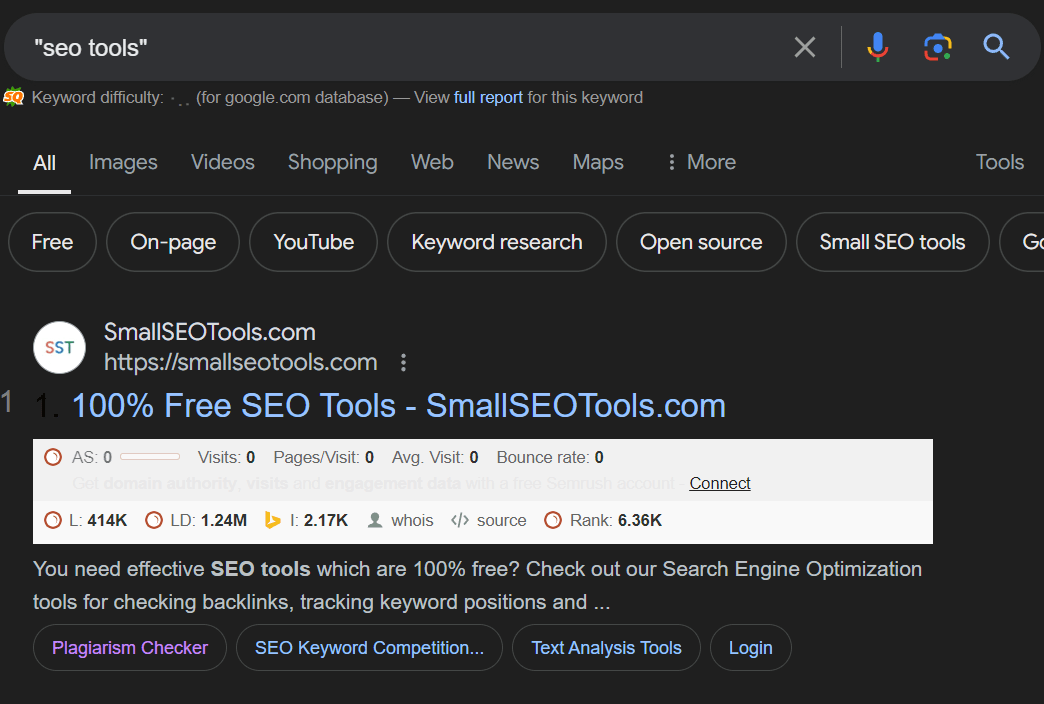
Quotation marks around a phrase make Google show results with the exact words in that order. For example, typing “SEO tools” will show results that match that exact phrase. Read more about the use of quotation marks.
The minus sign lets you exclude specific words. For example, SEO -beginners removes results related to beginners. Learn how to use exclusions.
The OR operator shows results for either of the terms you’re searching for. For example, fitness OR wellness shows results for both terms. Discover more about the OR operator.
The asterisk (*) serves as a placeholder for unknown words. For example, best * in NYC will return results like the best restaurants or hotels.
AND helps refine searches by showing results that include both terms, such as fitness AND wellness.
Parentheses let you group terms or operators. For example, Sony (PlayStation 4 OR PlayStation 5) narrows the search to both versions of the console. Learn about grouping terms in searches.
The site operator shows results from a specific website. For example, site
.com displays results only from that site. Check out more about site search.
Related operators help find websites similar to the one you’re searching for. For example, related
.com shows sites similar to Sony’s. Learn about related searches.
Intitle lets you search for specific words in the page title. For example, intitle: tips show results with that word in the title. Explore more about intitle searches.
Allintitle finds results with multiple words in the title. For instance, allintitle: SEO tips returns titles containing both terms. More on allintitle searches.
Intext searches for specific words within a page’s content, such as intext: recipe. Intext operator details.
Inurl helps you search for specific words in a URL. For example, inurl: recipe shows URLs that contain the word recipe. Learn more about inurl operators.
Define returns definitions for specific terms. For example, define: schema shows the definition of schema.
Filetype limits search results to specific file types. For example, filetype: PDF keyword research shows only PDFs related to keyword research. Filetype operator details.
How to Use Google Search Operators to Boost Your SEO:
Use the site operator combined with quotation marks for internal linking to find specific keywords on your site. This helps you quickly identify where internal links can be added.
For competitor analysis, the related site operators let you find similar websites and analyze your competitors’ content. Check out tips on competitor analysis.
To identify indexing issues, use the site operator to check which pages Google has indexed. Combine it with -inurl: HTTPS to find non-secure pages. Learn more about fixing indexing issues.
For guest posting opportunities, search for terms like “Write for Us” using intitle or inurl.
To spot content gaps in your niche, try intitle or inurl to discover missing topics.
Combine the site operator with quotation marks for duplicate content to search for specific phrases and ensure no duplication.
In local SEO, the AND operator combined with city or location names shows how competitors are targeting specific areas. Use intitle to find listicles or reviews that could include your business. These Google search operators can streamline your SEO efforts.
The “intitle” SEO command refines search results by only showing pages that have your keyword in their title, delivering a highly targeted set of information. Meanwhile, understanding all Google search operators can guide you to streamline your SEO strategy. Operators such as “site:”, “info:”, “cache:”, “related:”, “stocks:”, or “define:”, among others, help you narrow down your search to specific sites, find information about a URL, view a site’s older version, find sites similar to a specified web page, look up stock information, or get definition of a word, respectively. By mastering these operators, you can optimize search queries, conduct SEO audits, diagnose site issues, and uncover valuable insights for your SEO campaign.
Looking for a reputable SEO company or savvy all-in-one SEO tools? Whether it’s optimizing site titles or implementing advanced SEO strategies, these services are the answer. An SEO company with ‘intitle’ expertise aids in enhancing your webpage title tags, making it more appealing for search engines and users alike. On the other hand, ‘allintitle’ tools are comprehensive solutions that perform an array of functions including keyword research, site audits, and link-building, optimizing your website for maximum search visibility. Let the combination of streamlined SEO company services and robust allintitle tools propel your site to new heights in search rankings.
Finding the right SEO company can have a significant impact on your business’s visibility online. However, the search doesn’t end there, you also need to equip yourself with the right tools. An SEO company with the term “intitle” in its positioning indicates their expertise in optimizing title tags – essential elements on your webpage that tells search engines what your page is about to improve rankings. Alternatively, when you come across “allintitle tools,” it refers to advanced SEO tools capable of checking the number and quality of web pages that have all search terms in their title tags. This is valuable in understanding your competition and strategizing your SEO efforts. So, when searching for SEO services, ensure you consider companies that demonstrate knowledge of ‘intitle’ optimization and use ‘allintitle’ tools for comprehensive website analysis.


