


Google Search Console (GSC) has introduced a new feature that makes checking your website’s performance a lot easier! From now on, the filters you set in your Performance reports will stay applied as you move between different reports, which is great news for anyone who uses GSC regularly.
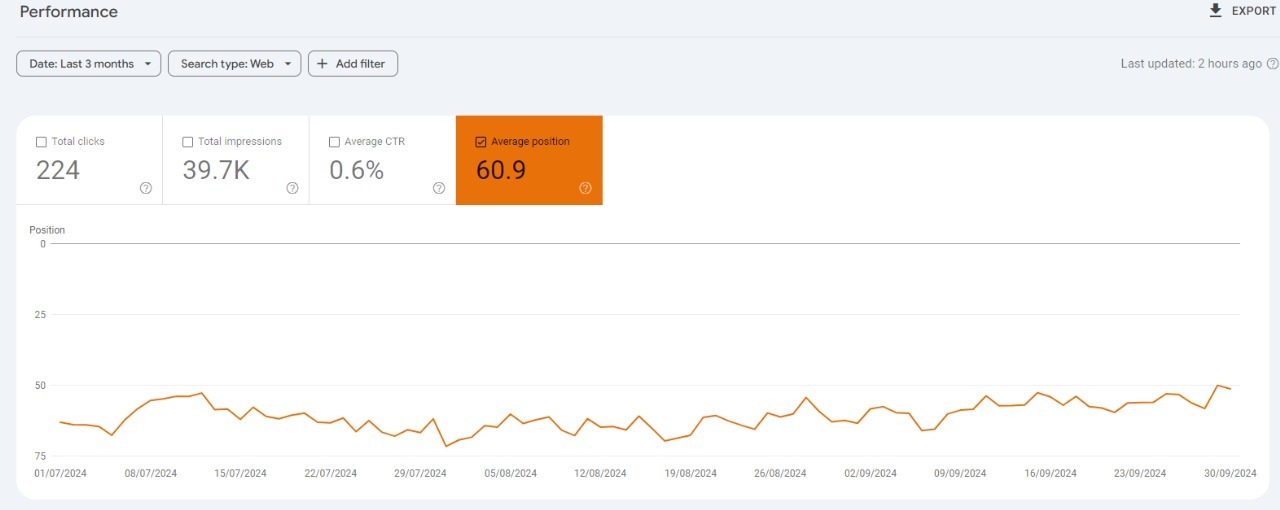
What’s Changed?
Before this update, when you applied a filter in the Performance reports—like Search Results, Discover, or Google News—you had to set the same filter again when switching between these sections. This could get frustrating and time-consuming, especially if you regularly analyze your website’s data.
However, with the new “sticky filters,” once you apply a filter, it will stay in place as you switch between reports. So, whether you’re checking how your website performs in search results or Google News, the same filter settings will follow you around. This makes looking at your data quicker and more convenient!
Easier Filter Reset
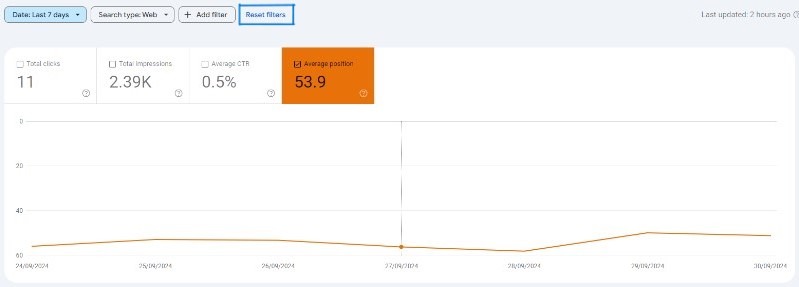
Google has also added a new “reset filters” button. This lets you remove all the filters you’ve set in one go, instead of having to turn them off one by one. It’s a small change, but it saves time and makes using Search Console much smoother.
Why This Matters
For anyone who manages a website, it’s important to keep an eye on how it’s performing. Filters help you focus on specific details, like traffic from certain countries or devices. Before this update, switching between reports meant constantly reapplying filters, which was annoying. Now, you can set your filters once and they’ll stay put, making your work much faster and less frustrating.
Based on User Feedback
Many users have been asking for this update. Google often listens to feedback from people who use their tools, and this is a perfect example of that. They’ve made this change to make life easier for website owners and marketers, based on real requests from the GSC community.
How to Use It
To use sticky filters, just head to any of the Performance reports in GSC, like Search Results, Discover, or Google News. Apply your filters like you normally would, and they’ll stick around as you check different reports. If you want to clear them all at once, just hit the “reset filters” button, and you’re good to go!
Your journey to mastering search engine optimization (SEO) just got a lot more streamlined thanks to Google Search Console’s (GSC) latest update – the sticky filters! This nifty feature allows you to set specific filters that stay put, even as you navigate through different reports in GSC. No more time wasted on reapplying the same filters over and over again. Whether you’re looking to review performance reports of specific search queries or checking index coverage of certain pages, the sticky filters will help you do so efficiently and effortlessly. So, gear up and brace yourself for an SEO game-changer. The next level of data analysis begins with GSC’s sticky filters update.
In our latest update on ‘search-engine-optimization/gsc-sticky-filters-update/’, we’re diving into the nitty-gritty of sticky filters in Google Search Console (GSC) and how they can enhance your SEO efforts. This change can be a game-changer for those constantly applying the same filters when analyzing their data. The feature allows you to set some filters as ‘sticky’, meaning they’ll stay exactly where you left them even when you navigate away or refresh the page. This simplifies your workflow, saving you valuable time and ensuring that you’re getting the most accurate, consistent results for your optimization efforts. Join us as we explore this exciting update and show you how to make it work for you!


